In Australia, a digital legacy is no longer a specialist problem for people with unusual assets. It is the everyday trail of accounts, photographs, videos, messages, passwords, subscriptions, documents, family stories and practical details that loved ones may need when someone is seriously ill, incapacitated or gone. This Digital Legacy Planning Australia 2026 guide explains how to organise that material without turning a personal task into a confusing technical project.
The objective is not to give everyone access to everything. Good digital legacy planning gives the right people the right information at the right time. It protects privacy, reduces family guesswork and keeps emotional material separate from urgent administration. It also helps estate planning and digital legacy apps work together: formal documents can sit beside personal messages, account notes and story context without pretending they all do the same job.
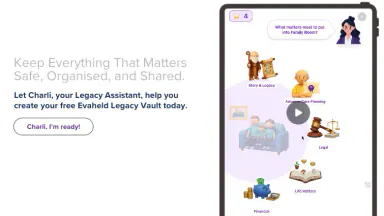
Evaheld was designed for the human side of that work. The Evaheld digital legacy vault can hold practical instructions and personal records, while the story and legacy vault helps preserve the memories, values and future messages that give those records meaning. Public resources such as USA.gov's death of a loved one checklist show how many tasks families face at once, which is why clear digital preparation can be a genuine act of care.
What should a digital legacy plan include in 2026?
Begin with the accounts that unlock everything else. That usually means your main email address, phone, password manager, cloud storage, banking records, social profiles, subscription services, business tools and photo libraries. Add the device passcodes or recovery instructions only through secure channels, not in a plain document. The CISA guidance on strong passwords and the NIST Cybersecurity Framework both support a risk-aware approach rather than casual sharing.
Then list the documents and records that will help someone act. These might include your will location, enduring power documents, insurance details, funeral preferences, pet care instructions, adviser contacts, property information and any account that bills automatically. Keep the list simple: account or document name, where it lives, who should know, and what action may be needed. For broader family money conversations, MoneySmart family and relationships resources can help people separate practical records from financial advice.
Finally, include meaning. Families often need more than passwords. They need to know which photos matter, which stories explain a person, which messages should be kept private and which memories may comfort children or grandchildren. Evaheld's piece on what family legacy means today is useful here because it treats legacy as identity and context, not only inheritance.
A workable plan also names what should not happen. You may want certain social accounts memorialised rather than deleted, old devices wiped before recycling, private journals kept closed, or business files handed to a specific person. Write those boundaries in ordinary language. Loved ones are less likely to argue about digital material when your instructions explain the reason behind each choice.
With shared family material, avoid making one person the silent owner of every record. If siblings, partners or adult children may all need access to photographs, recipes or family history, describe the intended sharing arrangement. That does not mean making everything public. It means preventing one device, one password or one grieving relative from becoming the only doorway into years of family memory.
How do estate planning and digital legacy apps work together?
Estate planning establishes formal instructions for money, property, guardianship, executors and legal authority. Digital legacy planning supports those decisions by organising the digital evidence, access pathways and personal context that families may need. They should not contradict each other. A personal message can explain a wish, but it should not try to replace a legally valid document or local professional advice.
This distinction matters when families are under pressure. Probate and estate administration can involve formal steps, as government probate guidance illustrates. A digital plan should make those steps easier by pointing people to records and contacts, not by asking them to guess what is legally binding. Evaheld's end-of-life planning resources can sit beside formal advice as a practical organisation layer.
Digital legacy tools are most useful when they keep information structured. A vault can separate urgent instructions from reflective writing, organise future messages, and make it clear who should receive what. Evaheld's digital inheritance planning advice covers this handover problem in more depth, especially for families who are trying to prevent account loss, privacy confusion and repeated searching.
A useful test is simple: if someone trusted had to help tomorrow, could they find the first five things they need without reading your whole life? If not, your plan needs clearer labels, fewer scattered files and better separation between access, documents and memories.
While comparing estate planning and digital legacy apps, look for practical fit rather than the longest feature list. The tool should let you keep sensitive information private, organise different content types, update material without rebuilding the whole plan, and explain access roles clearly. It should also make room for personal messages, because a technically tidy handover can still feel cold if it leaves no human context.
Keep formal legal documents and digital vault aligned by checking names, contact details and roles. If your executor, attorney, guardian or trusted contact changes, update the digital plan at the same time. If your formal documents mention a document location, make sure the vault points to the same location. Small mismatches can create unnecessary work for families.
What privacy rules should guide your plan?
Privacy should shape the plan from the start. Avoid gather more information than loved ones will need, and do not expose private messages, old emails or sensitive documents just because they are easy to copy. The your privacy rights is a useful reminder that personal information carries rights and responsibilities. A strong digital legacy plan protects the person making it and the people named inside it.
Use access levels. Some material can be shared now, such as funeral preferences or emergency contacts. Some material should be discoverable later, such as a vault location or executor note. Some material should stay private unless a specific condition is met. If you write about other people, avoid unnecessary details that could hurt, expose or misrepresent them. Evaheld’s practical guidance on ethical storytelling about other people helps keep family memories careful and fair.
Consider as well identity risk. Old devices, forgotten accounts and reused passwords can create problems after death as well as during life. The IdentityTheft.gov recovery resource shows why identity information needs care, and the OAIC personal information guidance reinforces the value of accuracy and access control.
Privacy also involves about timing. A partner may need household information immediately, while children may not need personal letters until later. An executor may need account inventories but not intimate recordings. A future message may be comforting on a birthday but overwhelming during the first week after a funeral. Good planning separates access from delivery so each person receives material in a context that makes sense.
How do you organise photos, stories and future messages?
Family photographs and videos need names, dates, places and short explanations. Without context, even precious images can become mysteries within one generation. The National Archives family archives advice, National Archives genealogy resources and Library of Congress preservation guidance all point to the same practical principle: preservation is not just storage. It is storage plus meaning.
Create a small set before trying to archive everything. Select ten photographs, three stories, one family recipe, one values note and one message for the people closest to you. Then label each item plainly. If a photo is linked to a difficult story, decide whether it belongs in a private section, a family section or a personal reflection that should not be delivered automatically.
Messages scheduled for the future need the same discipline. A birthday video, letter to a partner or message for children can be deeply meaningful, but timing and tone matter. Evaheld's messages after death planning guide explains how to write with care, and legacy letter starting prompts can help if a blank page feels too formal. For families choosing between public and private remembrance, private remembrance planning offers a useful boundary check.
Keep personal messages separate from administration. A loved one should not have to read a goodbye letter while looking for insurance details. Use clear sections such as "urgent contacts", "documents", "digital accounts", "family stories", "future messages" and "private reflections". This makes the vault easier to use in a stressful week.
If a story involves another person, add a note about consent or sensitivity. Some family history can be shared widely; some should be limited to adults; some belongs only in a private reflection. A digital legacy plan should preserve truth without turning grief into a delivery mechanism for material that could have been handled more gently.
What is the practical checklist?
As a first step, list the main account categories: email, phone, password manager, cloud storage, social media, finance, government services, business tools, subscriptions and photo libraries. Second, identify the trusted people who may need to know that the plan exists. Third, collect document locations and adviser contacts. Fourth, preserve personal stories and future messages in a separate section. Fifth, review the plan after life changes.
For every item, add only what is useful: what it is, why it matters, where it is stored, who may access it, and what should happen later. This structure prevents a vault from becoming a digital junk drawer. It also helps loved ones avoid accidental deletion, missed bills, account lockouts and confusion about which version of a document is current.
Anyone who wants to begin with a private structure rather than scattered notes, create a secure digital legacy plan with Evaheld and add one account note, one document location and one personal message today.
An annual review is enough for many people, but major events should trigger an earlier update. Review after marriage, separation, a new child, a death, a diagnosis, a house move, a changed executor, a new device, a closed email address or a major account change. The ACCC proof of purchase information is a practical reminder that records can matter long after the original transaction, especially when families need warranties, receipts or account evidence.
Do not try to finish the checklist by collecting every file you own. Begin with the information that prevents immediate harm or confusion: how to access the plan, who to contact, where documents are stored, which bills or accounts need attention, and which messages should be delivered with care. After that, improve the archive gradually. A clear first version is better than a perfect system that never reaches the people who need it.
It may help to use a traffic-light system. Mark urgent access items in one section, important but non-urgent records in another, and memory material in a third. This gives families a route through the plan. In the first days, they can handle phones, funeral wishes, pets, advisers and bills. Later, when the pressure changes, they can return to stories, photographs and future messages.
How can families make the conversation easier?
Planning a digital legacy can feel uncomfortable because it touches death, privacy, money and family responsibility at the same time. Make the first conversation small. Instead of asking someone to discuss every end-of-life decision, ask where they keep important documents, who should be contacted in an emergency and whether they have any messages or stories they would want preserved.
The Relationships Australia and American Psychological Association grief information both recognise that family conversations and grief affect people differently. Keep the tone practical and respectful. If a loved one is distressed, pause. The plan should reduce pressure, not create a new emotional burden.
Speak plainly. Say, "I am organising my digital accounts so you are not left guessing," or "I want my photos and stories to be easy to find." That is less frightening than launching into a complete estate discussion. Evaheld's family conversation guidance can help people introduce the topic without making it sound like an emergency.
When the conversation becomes tense, return to the practical purpose. You are not asking relatives to solve every future problem. You are giving them a map. A short shared review can cover where the vault is, who has a role, how updates will happen and which subjects are private. That is usually enough for a first conversation, especially when people need time to think.
Households with blended relationships, estrangement, young children or cross-border relatives may need extra care. Keep roles explicit and avoid assumptions about who will naturally take charge. If several people could expect access, write down the reason for each access decision. Clear instructions are not a substitute for legal advice, but they can reduce avoidable conflict and protect the emotional parts of the legacy.